
How to Set Up Socket Tunnel X on Android and Fix Connection Problems
Install Socket Tunnel X from Google Play, connect for the first time, read the protocol labels in its server list, and fix the most common connection problems on Android.
في هذه الصفحة
- Before you start
- Install Socket Tunnel X from Google Play
- Connect for the first time
- The session timer
- Choosing a server
- What the protocol labels mean
- The tools in the menu
- Troubleshooting
- It won't connect
- It says Connected, but nothing loads
- The connection drops when you switch networks
- The timer is running out
- Nothing happens when you tap the power button
- Using a VPN sensibly
- FAQ
- Is Socket Tunnel X free?
- Which protocol should I choose?
- Does it work on both Wi-Fi and mobile data?
- Why is there a key icon in the status bar?
- Sources
هذا المقال غير متوفر بالعربية بعد، لذا يظهر بلغته الأصلية، وهي الإنجليزية.
Socket Tunnel X is a free VPN and tunnel app for Android, developed by SBRK Dev Team. This guide takes you from installing it to a working connection, explains the labels in its server list, and then covers what to do when it won't connect. It's based on the version on Google Play at the time of writing: 1.5.5, from October 2026.
Before you start
- An Android phone with Android 7.0 or later. That's the minimum on the app's Google Play listing.
- A working internet connection. A VPN runs on top of your Wi-Fi or mobile data; it can't replace it.
- No other VPN running. Android keeps only one VPN active at a time, and starting a new one stops the old one.
Install Socket Tunnel X from Google Play
Open the Socket Tunnel X page and tap the Google Play button, or search for "Socket Tunnel X" in the Play Store. Check that the developer shown is SBRK Dev Team: that's the Google Play account of the app's developer, Amine Rakibe, who also created Vunio. Installing from Google Play means updates arrive through the store and you get the build the developer published, not a copy someone else repackaged.
Connect for the first time
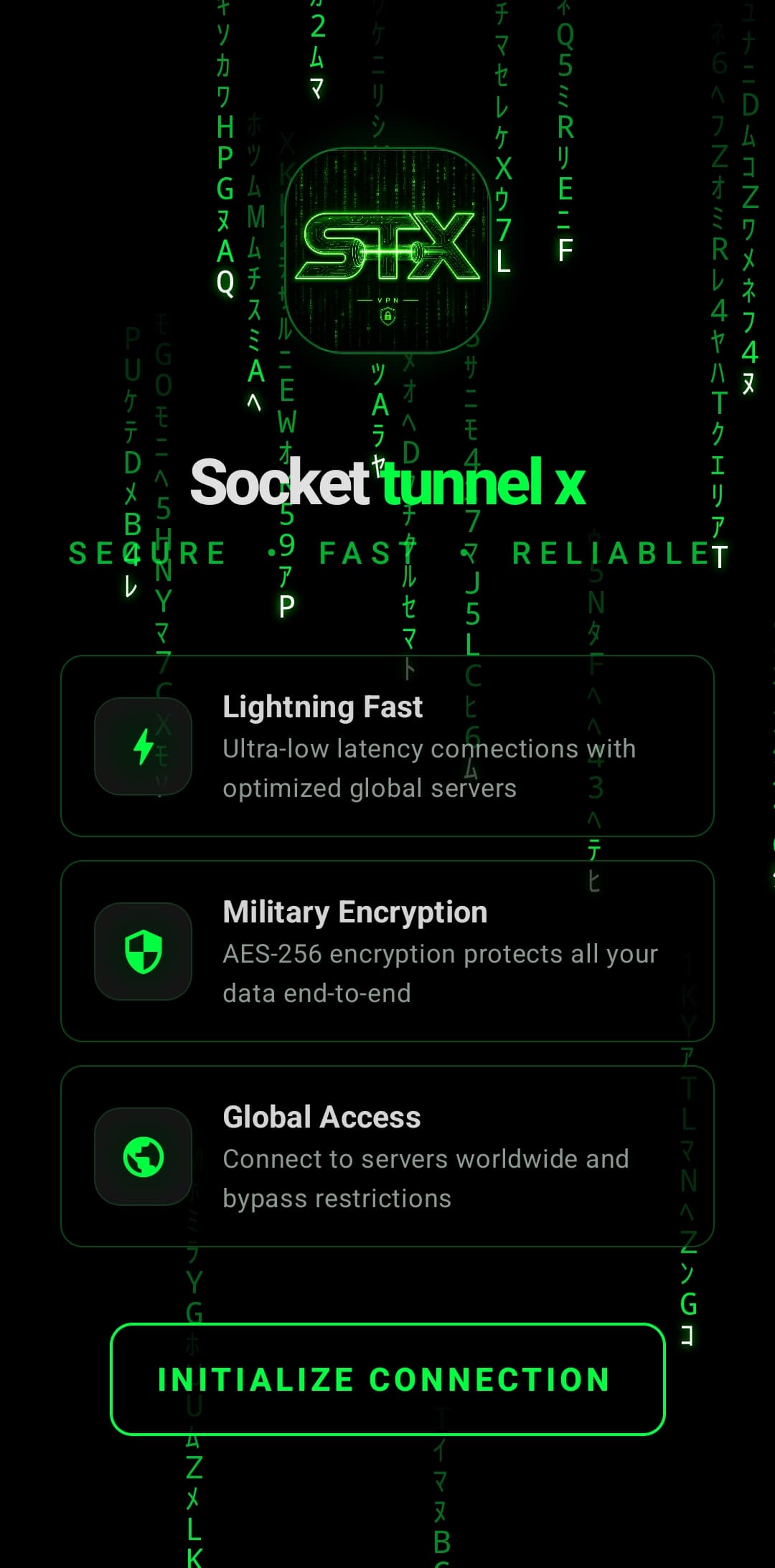
- Open the app. The welcome screen sums up what it does. Tap Initialize Connection to continue.
- Check the selected server. The card under the power button shows the current server: its flag, its location, its ping and its protocol.
- Pick another server if you want. Tap the server card to open Select Server, then tap a server.
- Tap the power button. Before any VPN app connects for the first time, Android shows a connection request and asks you to confirm that you trust the app. Tap OK.
- Wait for Connected. The status under the power button changes from Tap to Connect to Connected, with "Secure connection active" underneath.
While a VPN is active, Android shows a key icon in the status bar. To disconnect, tap the power button again.
The session timer
Connections run on a timer at the top of the home screen. When you're close to the end it turns orange and reads "Low time remaining". Tap +Time to add more.
Choosing a server
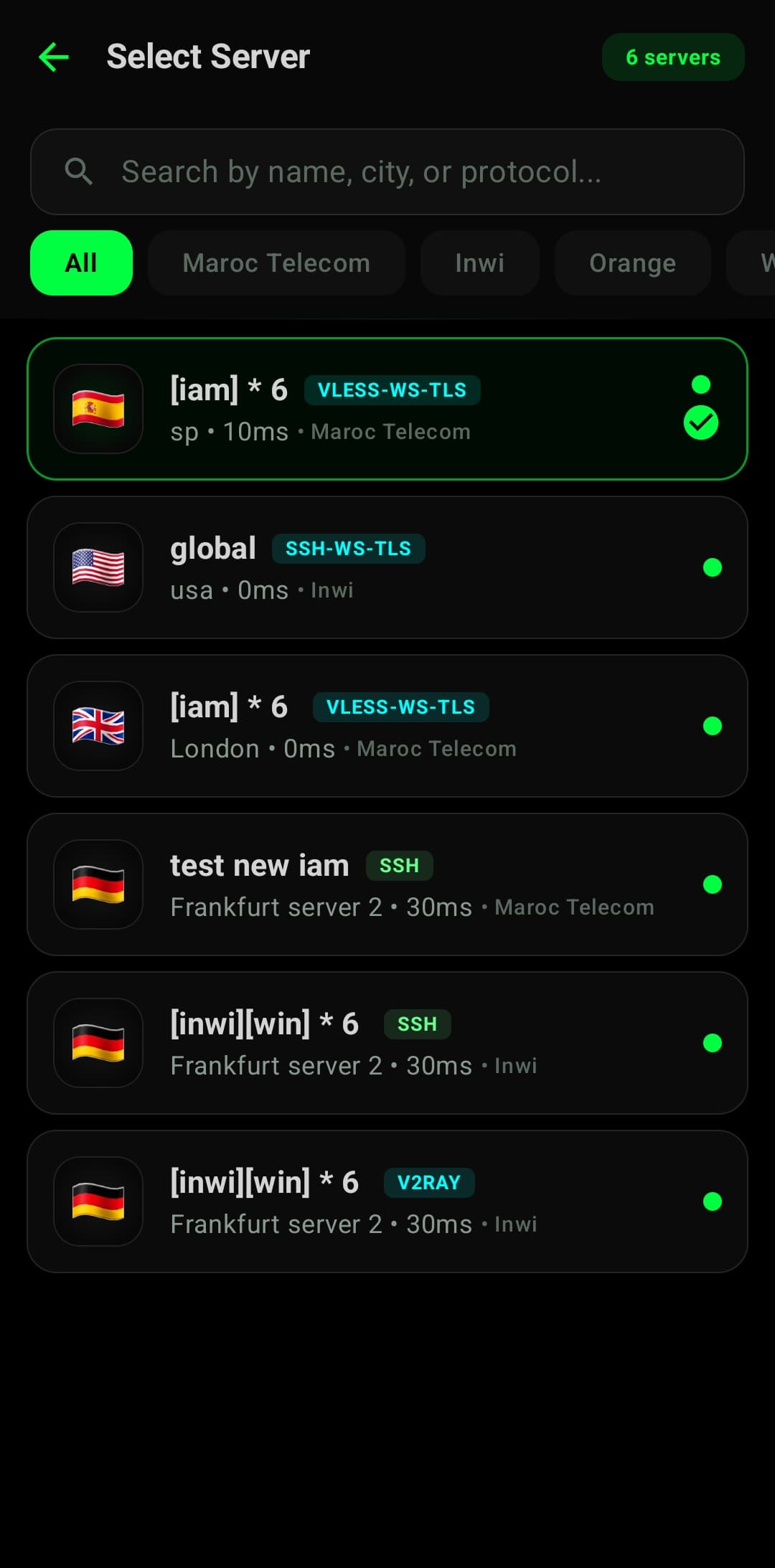
The Select Server screen lists each server with:
- A location: a flag and a country or city, such as London or Frankfurt.
- A ping: how long the server takes to answer, in milliseconds. Lower is better. A server far from you usually has a higher ping.
- A protocol label: such as VLESS-WS-TLS or SSH.
Use the search box to find a server by name, city or protocol, or the filter buttons along the top to narrow the list.
What the protocol labels mean
| Label | Protocol | Transport and encryption | In short |
|---|---|---|---|
| VLESS-WS-TLS | VLESS | WebSocket inside TLS | A lightweight proxy protocol; TLS provides the encryption |
| V2RAY | V2Ray-based | Depends on the server | V2Ray is a platform that runs several protocols |
| SSH | SSH | SSH's own encrypted channel | A long-established, well-understood tunnel |
| SSH-WS-TLS | SSH | WebSocket inside TLS | SSH wrapped in a web-style connection |
| OpenVPN (SSL) | OpenVPN | TLS-based | Added in version 1.5.5 |
If one type of server doesn't connect well on your network, try a server with a different label: networks treat transports differently, so some trial and error is normal. For how each protocol works, see VLESS vs VMess, SSH, WebSocket and TLS tunneling and WireGuard vs OpenVPN.
The tools in the menu
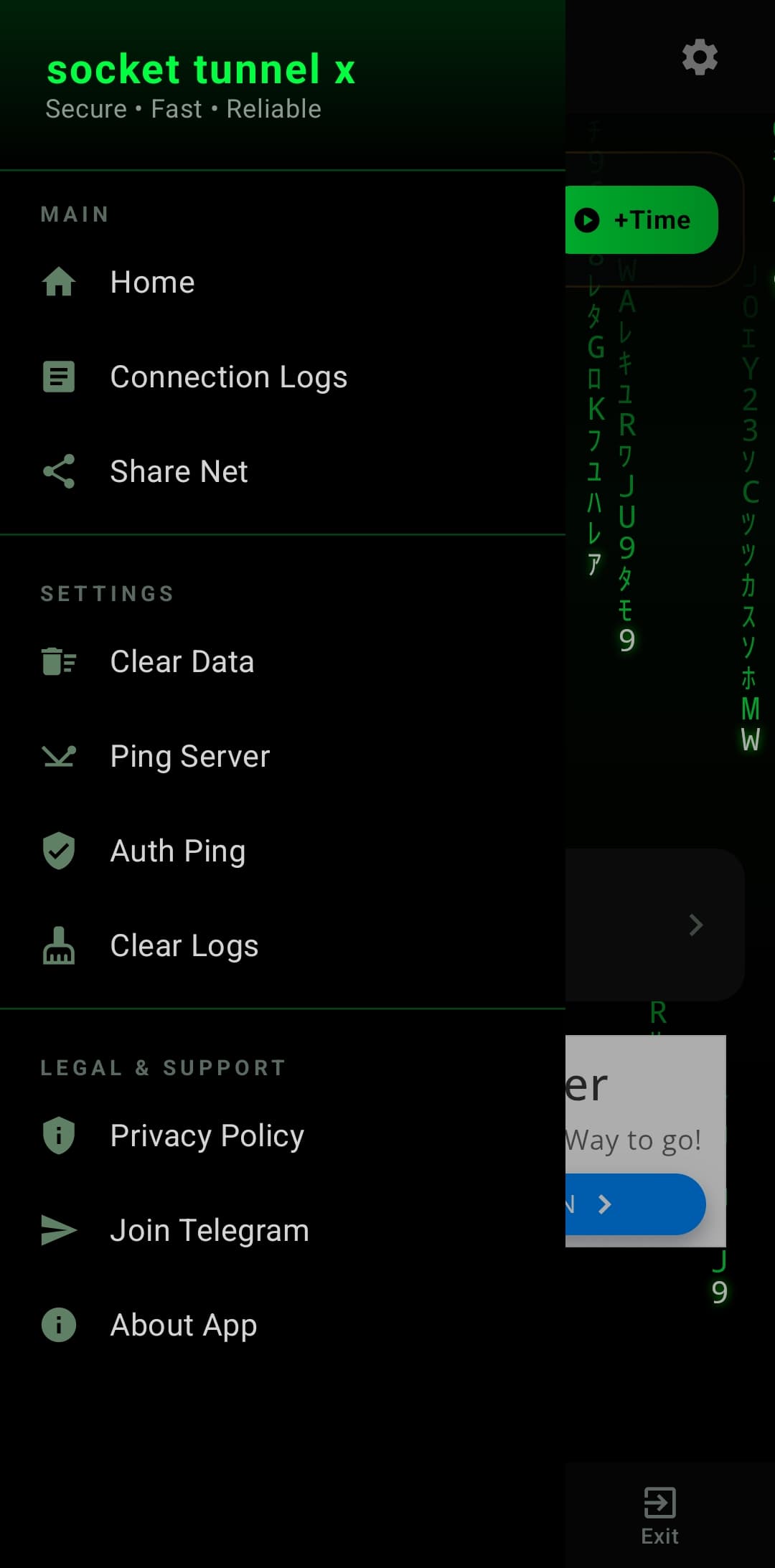
Open the menu with the three-line button at the top left.
- Connection Logs list the steps the app takes while it connects. They're the first place to look when something fails.
- Ping Server and Auth Ping are quick tests to run on a server before you rely on it.
- Clear Logs empties the log, so the next attempt starts on a clean page.
- Clear Data clears the data the app has stored.
- Privacy Policy, Join Telegram and About App sit under Legal & Support.
Troubleshooting
It won't connect
- Try another server. A server can be busy or offline. Pick one with a low ping.
- Try a different protocol. If VLESS-WS-TLS servers fail, try an SSH or SSH-WS-TLS server, or the other way round.
- Read the logs. Open Connection Logs and look at the last lines: they show the step where the attempt stopped.
- Check your own connection. Turn the VPN off and open a website. If that fails too, the problem is your Wi-Fi or mobile data, not the VPN.
- Update the app. Open Socket Tunnel X in Google Play and install any update.
It says Connected, but nothing loads
- Disconnect, wait a few seconds and connect again.
- Switch to another server.
- Check Android's VPN settings. If another VPN app is set as Always-on VPN, especially with "Block connections without VPN" turned on, turn that off while you use Socket Tunnel X.
The connection drops when you switch networks
Moving from Wi-Fi to mobile data, or switching SIM cards, changes the network under the tunnel. Version 1.5.5 improved reconnection and fixed problems when switching SIM cards, so update first. If it still drops, disconnect and connect again after the switch.
The timer is running out
Tap +Time on the home screen to add connection time before it reaches zero.
Nothing happens when you tap the power button
Make sure no other VPN app is connecting at the same moment, then try again. If Android's connection request appeared and you tapped Cancel, tap the power button again to get the request back.
Using a VPN sensibly
A VPN encrypts the traffic between your phone and the VPN server, which keeps it away from whoever runs the network you're on, such as a café's Wi-Fi. It doesn't make you anonymous, and it doesn't protect you from phishing or malware. Use it in line with the rules of the network you're on and the law where you live.
FAQ
Is Socket Tunnel X free?
Yes. It's free on Google Play and shows ads. Connection time runs on a timer that you can top up with +Time.
Which protocol should I choose?
Start with a nearby server with a low ping. If it won't connect, try a server with a different protocol label. Which VPN protocol should you use on Android? explains the trade-offs.
Does it work on both Wi-Fi and mobile data?
Yes. The VPN runs on top of whichever connection your phone is using, and the tips above apply to both.
Why is there a key icon in the status bar?
That's Android telling you a VPN is active. It disappears when you disconnect.